Task management with org-roam Vol. 1: Path to Roam
How to organize tasks and projects in org-roam whilst maintaining compatibility with org-mode's agenda features. Implementing a familiar structure of tasks, projects, and meta-projects across multiple files.
org-mode is a simple outliner for note-taking and list management. It doesn't impose any complex features on users - this is something users excel at themselves. My suggestion is to continue this tradition and discover task management capabilities in org-roam, an org-mode extension for non-hierarchical note management.

Change Log
- [2025-11]: This series was written for vulpea v1 with org-roam. See Vulpea v2: breaking up with org-roam for context on vulpea v2, which no longer depends on org-roam. Updated guides are coming.
- [2021-05-10]: Updated post to reflect changes in org-roam v2. Previous version of this article is available on GitHub.
Related posts
Since org-mode gives a lot of freedom, everyone implements their task management system differently. In a nutshell, most implementations I've seen consist of the following elements:
- Task - the simplest actionable item with some
TODOstate. - Project - a
TODOitem with an outcome requiring multiple steps to achieve. - Meta project - a long-lasting project without a final outcome. It consists of projects or tasks. Think of it as an area or category. For example, a personal blog is a meta project, as it doesn't have a terminating outcome. It does have projects with specific outcomes (like setting up your blog or writing a post) or simple tasks (like renewing an SSL certificate), but the blog itself doesn't have an outcome.
- Resource - a person, tool, location, or anything possibly related to a task. In plain org-mode, this is usually implemented as a tag.
Here's an example of an org-mode file with all these elements:
#+title: Work

* emacs-plus
:PROPERTIES:
:CATEGORY:               emacs-plus
:END:

Emacs Plus is [[https://www.gnu.org/software/emacs/emacs.html][→ GNU Emacs]]
formulae for macOS [[https://brew.sh][→ Homebrew]] package manager. It offers a
wide rage of extra functionality over regular
[[https://formulae.brew.sh/formula/emacs#default][→ Emacs]] package. Emacs Plus
intent is to give the most of 'plus' stuff by default, leaving only
controversial options as opt-in.

** TODO Restore icons selection for =emacs-plus@26=          :@FrodoBaggins:
Frodo Baggins volunteered to help with this.

** TODO [0/3] Automate bottle producing                            :PROJECT:
*** TODO Create a project on Bintray
*** TODO Investigate if =brew test-bot= can be used for =emacs-plus=
*** TODO Write a CI job that creates and uploads bottles

* Blog
:PROPERTIES:
:CATEGORY:               blog
:END:

https://d12frosted.io

** TODO Write a post about org-roam and agenda
** TODO [0/2] Get rid of embedded HTML for images in posts         :PROJECT:
*** TODO Write a custom handler of image links
This should transform link to images into proper HTML.

#+begin_example
  <div class="post-image post-image">
  <img src="/images/some-image.png" />
  </div>
#+end_example

*** TODO Replace all image exports by regular org links
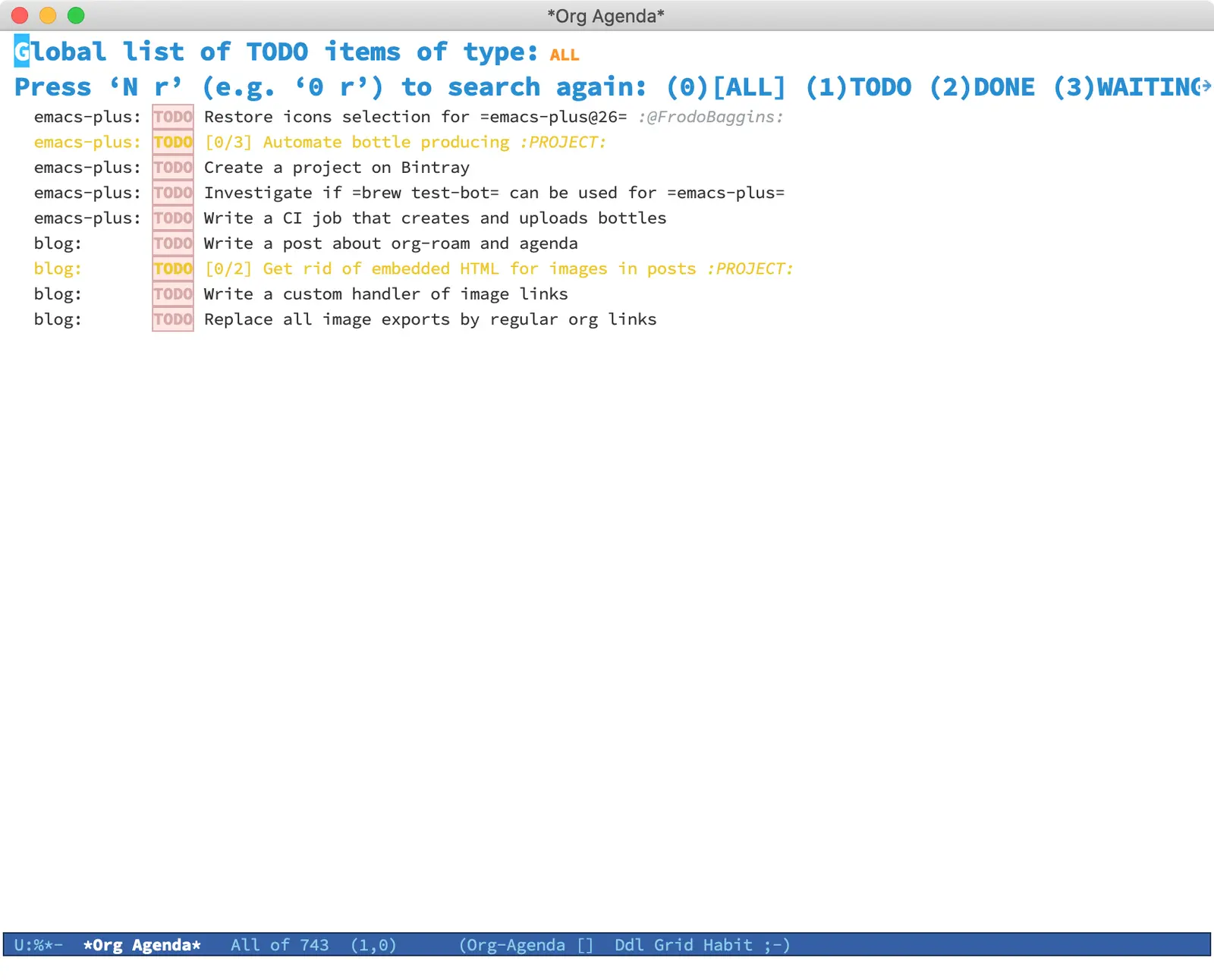
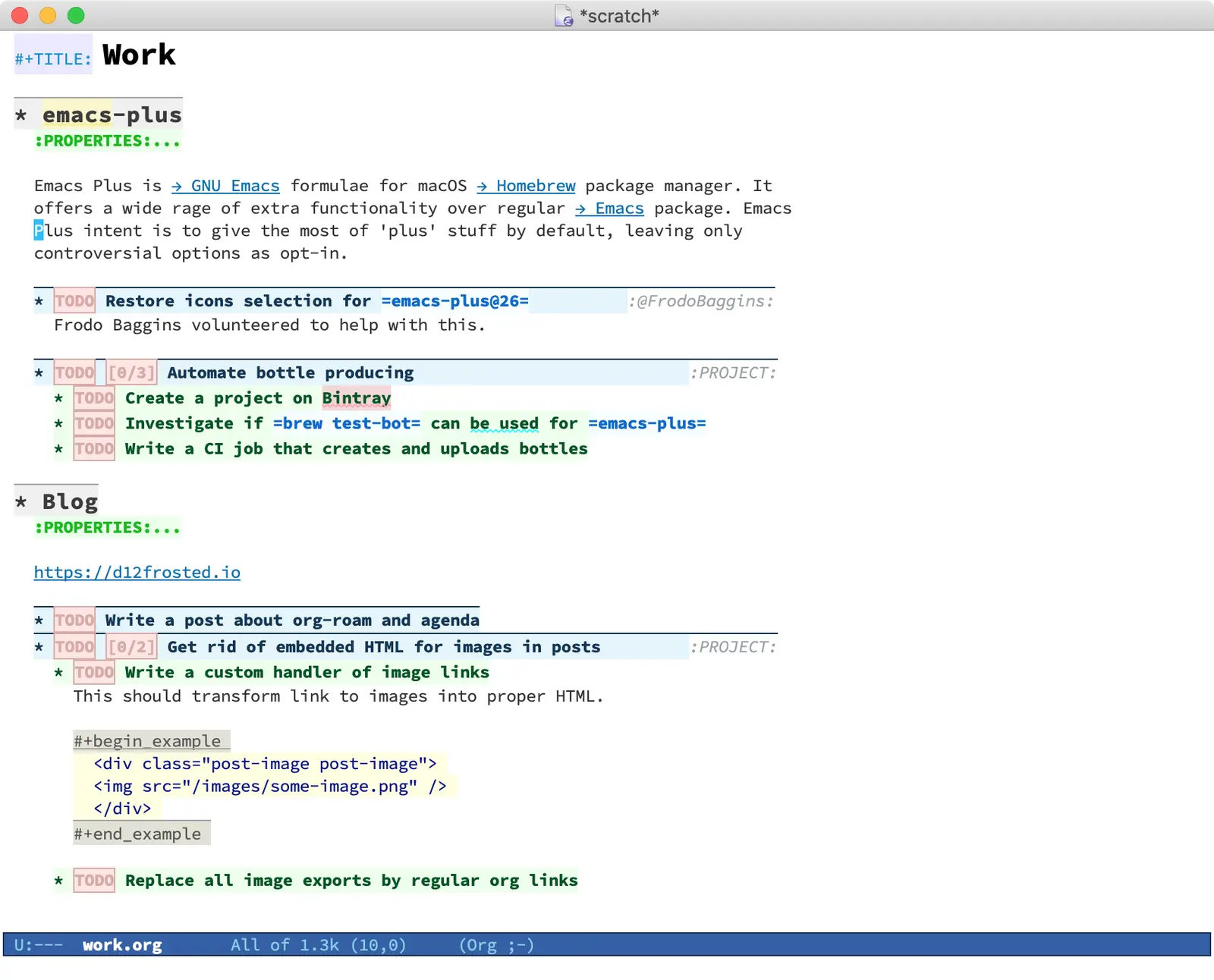
As you can see, it has 2 meta projects: emacs-plus and a personal blog, each containing a task and a project. Meta projects have their own category property (set by hand or using org-set-property, which is bound to C-c C-x p by default), so in the agenda view you can quickly distinguish (and filter) tasks from different meta projects (for example, using org-agenda-filter-by-category, which is bound to < by default).

Formally (and technically), projects might be defined as a task having sub-tasks, but in this rare case I vote for simplicity - a project is a task tagged as PROJECT.
When a task relates to a person or location, I tag it accordingly, using the @ symbol as a prefix to distinguish it from utilitarian tags. The agenda helps you quickly find all tasks with a specific tag. Use M-x org-agenda m or M-x org-agenda M (to list only TODO items).

With org-roam, it makes sense to create a separate file for each meta project. In the endless debate of 'many small' vs 'few big' org files, org-roam favours the former approach (though even this is debatable).
#+title: emacs-plus

Emacs Plus is [[https://www.gnu.org/software/emacs/emacs.html][→ GNU Emacs]] formulae for macOS [[https://brew.sh][→ Homebrew]] package manager. It
offers a wide rage of extra functionality over regular [[https://formulae.brew.sh/formula/emacs#default][→ Emacs]] package. Emacs
Plus intent is to give the most of 'plus' stuff by default, leaving only
controversial options as opt-in.

* Tasks
** TODO Restore icons selection for =emacs-plus@26=          :@FrodoBaggins:
Frodo Baggins volunteered to help with this.

** TODO [0/3] Automate bottle producing                            :PROJECT:
*** TODO Create a project on Bintray
*** TODO Investigate if =brew test-bot= can be used for =emacs-plus=
*** TODO Write a CI job that creates and uploads bottles
#+TITLE: Blog

https://d12frosted.io

* Tasks
** TODO Write a post about org-roam and agenda
** TODO [0/2] Get rid of embedded HTML for images in posts         :PROJECT:
*** TODO Write a custom handler of image links
This should transform link to images into proper HTML.

#+begin_example
  <div class="post-image post-image">
  <img src="/images/some-image.png" />
  </div>
#+end_example

*** TODO Replace all image exports by regular org links
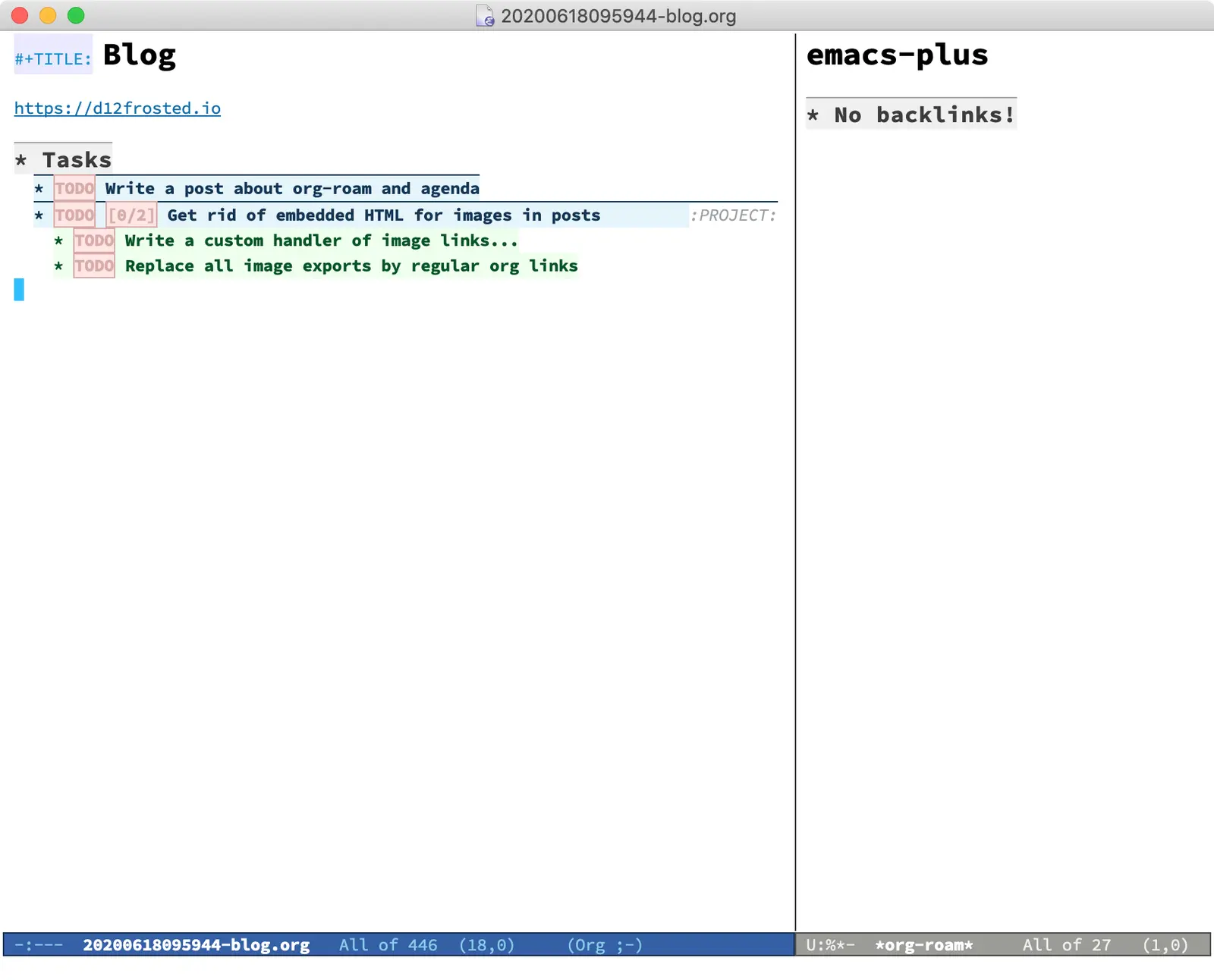
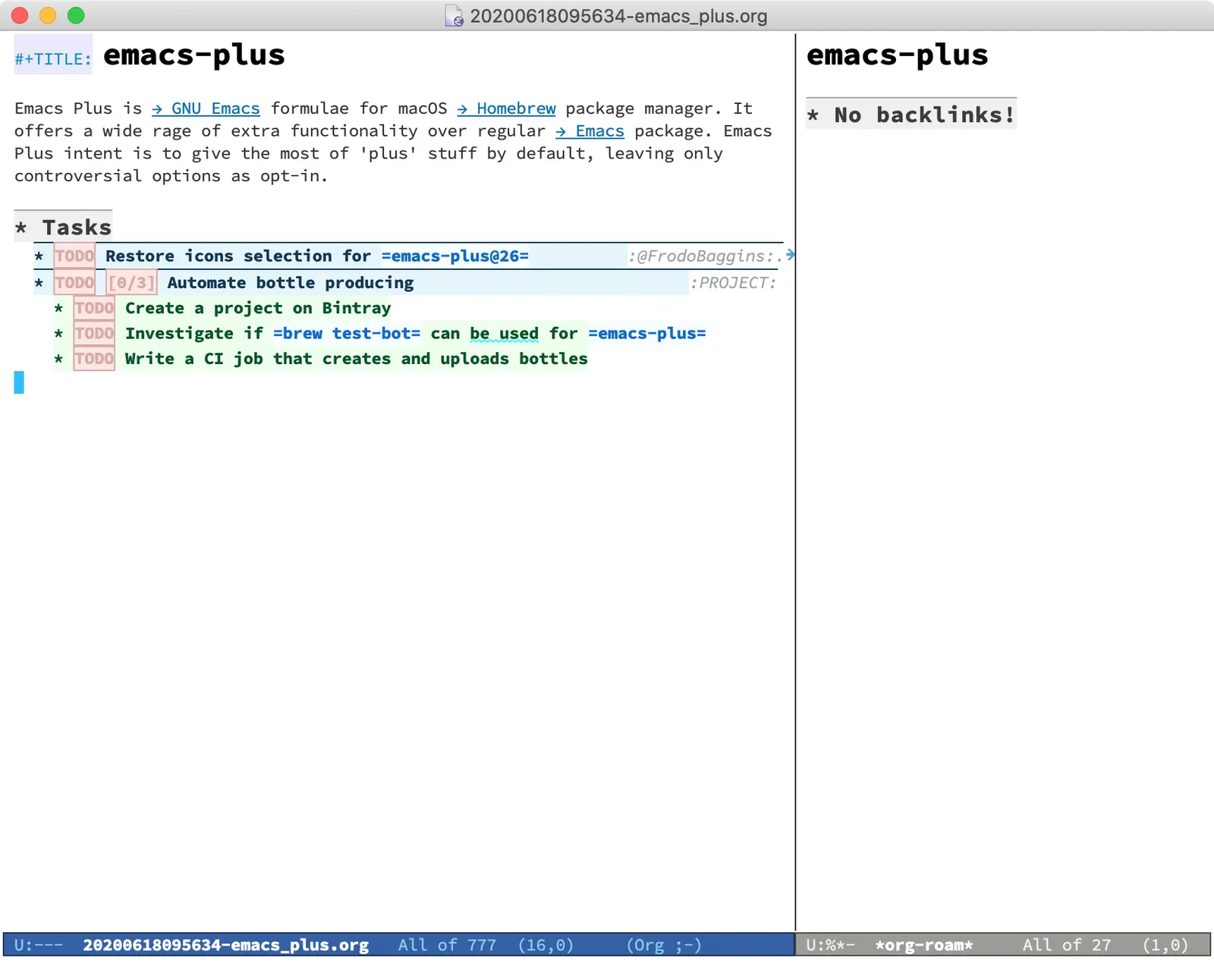

So far, the transition was simple. However, as you can see, in the agenda buffer the inferred category contains garbage - the note ID.
In the next article, we're going to explore ways to fix the agenda buffer and remove this unwanted visual clutter. Stay tuned!
#1References
org-roamdocumentation on GitHub.org-modedocumentation on the official site.- Org Mode - Organize Your Life In Plain Text! by Bernt Hansen.